
Instructional Design
Overview
Empowering Financial Aid Transformation Through Banner Automation Professional Learning
Context
Subject(s): Banner Automation, Financial Aid Operations, Professional Learning, Higher Education Technology Integration.
Target Audience:
This professional learning program is designed for financial aid staff across institutional departments who are involved in day-to-day operations and are directly impacted by automation in Banner. Participants may include staff, team leads, and managers seeking to optimize their workflows through automation.
Learning Management & Delivery Format:
The course will be implemented via [institutional LMS, SharePoint, or Google Classroom], with asynchronous modules, video tutorials, guided assignments, and optional synchronous support sessions (via Zoom or Teams). This hybrid structure offers flexibility while maintaining opportunities for collaboration.
Duration:
Recommended total time commitment: 12–16 hours over 4–6 weeks. This flexible structure allows staff to engage with content at their own pace while staying aligned with organizational timelines for automation rollouts.
Design Approach
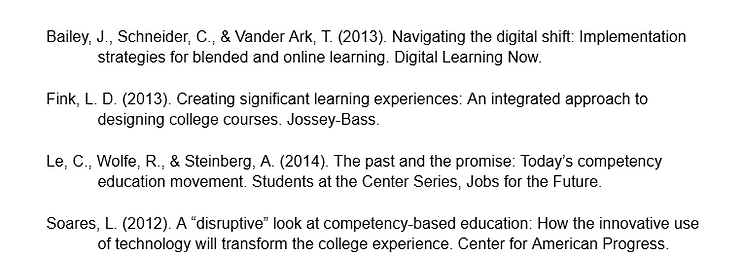
This professional learning program uses a Competency-Based Education (CBE) approach supported by Fink’s Three-Column Table to ensure outcomes, learning activities, and assessments are tightly aligned (Fink, 2013). Each module identifies clear, measurable competencies that align directly with key tasks in financial aid automation (e.g., setting up batch processes, validating data, troubleshooting automation errors).
Why CBE?
-
Job-Relevant: Staff are not just learning about automation in theory—they are applying it directly within their Banner environments.
-
Flexible & Personalized: Learners can progress at their own pace, revisit concepts, and focus on competencies most relevant to their role (Soares, 2012).
-
Outcome-Focused: Learning is designed to result in mastery, ensuring participants can confidently implement automation tasks.
While Outcome-Based Education (OBE) principles inform the broader goals, CBE defines how success is demonstrated through action (Le, Wolfe, & Steinberg, 2014).
Instructional Design Model:
We follow the ADDIE Model (Analysis, Design, Development, Implementation, Evaluation), integrating principles from Merrill’s First Principles of Instruction:
-
Problem-Centered: Each module addresses common workflow issues and inefficiencies that Banner automation can solve.
-
Activation: Learners reflect on current manual processes and identify pain points.
-
Demonstration: Screen-capture videos and simulations show step-by-step automation tasks (e.g., running jobs, configuring rules).
-
Application: Learners will practice using Banner in sandbox environments or simulated case scenarios.
-
Integration: Learners will build implementation plans for their departments.
Balancing Assessment of, for, and as Learning:
-
Assessment of Learning (Summative): Participants will submit a final implementation outline or automation action plan, demonstrating how they will apply automation in their context.
-
Assessment for Learning (Formative): Interactive check-ins, knowledge checks, and feedback on draft implementation plans.
-
Assessment as Learning: Reflection prompts and collaborative discussions will encourage participants to connect learning to their personal workflows and institutional goals.
Design Artifacts
Three-Column Table:
Clearly outlines desired learning outcomes, related learning activities (e.g., data file uploads, Perceptive integration), and performance-based assessments.
Learning Outcomes | Learning Activities | Assessment Tasks |
|---|---|---|
Understand the purpose and benefits of Banner automation in financial aid operations. | Participants will watch an introductory video on Banner automation, engage in a guided reflection on current processes, and contribute to a discussion forum where staff identify manual tasks in their daily operations. | Financial aid staff will submit a refection post summarizing their current workflows and write on two areas where automation could improve efficiency. |
Demonstrate ability to configure and schedule Banner job submissions. | Participants will explore a tutorial that demonstrates job submission and scheduling within Banner, then complete guided hands-on practice in a sandbox environment to duplicate the process. | Learners will complete a checklist confirming successful submission of sample jobs and write a short reflection explaining how job scheduling could benefit their office’s workload. |
Integrate data files from network drives (EC-Samba) and Perceptive Content to support automation tasks. | Learners will view a step-by-step demonstration on how to connect and upload files from network drives and Perceptive content (record storage software). Afterward, staff will participate in a test environment to practice the upload and integration system. | Learners will submit screenshots or system confirmations showing that they completed a successful test upload and explain the significance of correct file integration in their implementation plan draft. |
Apply error-handling strategies and troubleshoot common Banner automation issues. | Learners will study error scenarios provided through sample data, review a list of common automation issues, and participate in a peer forum to troubleshoot assigned cases. | Participants will complete a scenario-based quiz in which they identify the root cause of each issue and describe how to resolve it, supported by screenshots or written explanations. |
Create an implementation plan for automation within the department to align with institutional priorities. | Staff will use a provided planning template to draft their implementation plan, incorporating feedback from peers and facilitators. Staff will revise their drafts based on input and complete a final version of the plan. | Learners will submit their completed implementation plan, including objectives, timeline, resource needs, and key personnel, along with a reflective summary discussing their learning process and projected impact. |
Week 1 – Foundations of Banner Automation & Course Orientation
Weekly Objectives:
-
Introduce the goals, structure, and expectations of the course.
-
Define what Banner automation is and why it matters in financial aid.
-
Assess staff’s current familiarity with automation tools and workflows.
-
Begin reflecting on inefficiencies in current manual processes.
Learning Activities & Resources:
-
Watch a welcome video outlining course modules and expectations.
-
Read: “Why Automate? Benefits for Staff & Students” to explore the strategic and operational value of automation.
-
Complete a pre-assessment quiz to gauge baseline knowledge of Banner systems and automation readiness.
-
Respond to a reflection prompt: “Where are we now? Describe your current process for handling repetitive tasks.”
-
Contribute to a kickoff discussion board: “What automation challenges do you hope to overcome?”
Format & Tools:
-
Asynchronous video and reading
-
Google Docs for reflections
-
LMS discussion forum
-
Quiz tool
Estimated Time Commitment: 3 hours
Deliverables:
-
Completed pre-assessment quiz
-
Reflection document
-
Kickoff discussion post
Week 2 – Job Submission & Scheduling in Banner
Weekly Objectives:
-
Learn how to create and configure jobs using Banner’s job submission tools (e.g., GJAPCTL).
-
Understand scheduling options, dependencies, and common issues that delay job processing.
-
Gain hands-on practice in submitting test jobs within a sandbox environment.
Learning Activities & Resources:
-
Watch a detailed video tutorial: “Job Submission Basics and Best Practices.”
-
Access Banner sandbox or test environment for safe, simulated job creation.
-
Use a provided checklist to ensure all critical job configuration steps are completed (e.g., parameter entry, scheduling).
-
Join a peer discussion forum to share lessons learned, questions, or issues encountered during job setup.
Format & Tools:
-
Video tutorial
-
LMS assignment with a checklist
-
Sandbox guide and login credentials
-
Peer-to-peer discussion board
Estimated Time Commitment: 3 hours
Deliverables:
-
Checklist and screenshots of a successful job run
-
Participation in a peer discussion forum
Week 3 – Data Integration: Network Drives (EC-Samba), Perceptive Content & Batch File Uploads
Weekly Objectives:
-
Understand the role of EC-Samba, Perceptive Content, and file servers in processing external data into Banner.
-
Learn how to import, validate, and troubleshoot common financial aid files (e.g., ISIRs, Pell, Loan files).
-
Simulate the full integration workflow, from download to validation.
Learning Activities & Resources:
-
Watch a guided walkthrough video: “File Flow & EC-Samba Integration in Financial Aid.”
-
View a live demo of uploading files and mapping fields using test data.
-
Complete a hands-on activity simulating the import of financial aid files.
-
Use a validation checklist to confirm proper file integration.
-
Join a discussion board: “Describe a failed import and how you would respond.”
Format & Tools:
-
Simulation & video tutorial
-
File upload tool in LMS
-
Checklist
-
Discussion forum
Estimated Time Commitment: 3.5 hours
Deliverables:
-
File upload simulation report
-
Checklist validation
-
Discussion board scenario response
Week 4 – Troubleshooting & Error Resolution in Banner Automation
Weekly Objectives:
-
Build confidence and problem-solving skills for resolving common Banner automation errors.
-
Use job logs, process reports, and system messages to diagnose failures.
-
Collaborate with peers to create a shared knowledge base for troubleshooting.
Learning Activities & Resources:
-
Read: “Top 10 Automation Errors and How to Solve Them.”
-
Watch a video case study: “From Panic to Progress: Troubleshooting a Failed Batch Job.”
-
Complete an interactive simulation where a broken automation sequence must be corrected.
-
Maintain a Troubleshooting Journal documenting the error, resolution steps, and outcome.
-
Post in a peer help forum: “What’s the most difficult error you’ve fixed?”
Format & Tools:
-
Case study video
-
Simulation tool
-
Troubleshooting Journal (Google Docs template)
-
Peer forum
Estimated Time Commitment: 3–4 hours
Deliverables:
-
Corrected job simulation
-
Troubleshooting journal entry
-
Peer forum contribution
Week 5 – Drafting Your Departmental Automation Plan
Weekly Objectives:
-
Begin development of a department-specific automation action plan.
-
Synthesize previous learning into a practical, step-by-step proposal.
-
Receive and provide peer feedback to refine the plan’s scope and strategy.
Learning Activities & Resources:
-
Use the Banner Automation Implementation Plan Template to begin drafting.
-
Watch an instructor-narrated walkthrough: “What Makes an Effective Automation Plan.”
-
Submit a draft plan to your assigned peer group.
-
Participate in structured feedback rounds using a rubric and feedback prompts.
-
Join an optional live Zoom Q&A session for clarification and support.
Format & Tools:
-
Google Docs plan template
-
LMS peer review tool
-
Optional Zoom Q&A
Estimated Time Commitment: 3.5 hours
Deliverables:
-
Draft plan submission
-
Peer feedback provided to at least two peers
-
Participation in Q&A session
Week 6 – Finalization, Reflection, and Readiness to Implement
Weekly Objectives:
-
Finalize your automation implementation plan with insights gained from peer and instructor feedback.
-
Reflect on your growth, challenges, and goals as an automation change leader.
-
Celebrate completion and begin planning how to share your learning with your department.
Learning Activities & Resources:
-
Revise and polish the implementation plan.
-
Use the provided rubric to self-evaluate and finalize your submission.
-
Respond to a reflection prompt: “How will you lead or support automation transformation in your department?”
-
Watch the closing wrap-up video: “Sustaining Change: What Comes Next?”
-
Post on a collaborative celebration board using Padlet or Flipgrid.
Format & Tools:
-
Final plan submitted via LMS
-
Reflection submitted via Google Form
-
Collaborative board for final thoughts
Estimated Time Commitment: 3–4 hours
Deliverables:
-
Final implementation plan
-
Reflection form submission
-
Celebration post
References